

Submitting a Client Report is one of the ways to get help with your order on GameBoost. It notifies both the seller and our support staff, so they can step in to assist. To make sure your report gets the right attention and is resolved quickly, it’s important to include detailed and accurate information.Documentation Index
Fetch the complete documentation index at: https://docs.gameboost.com/llms.txt
Use this file to discover all available pages before exploring further.
What to include in your client report
-
Clear description of the problem
Be specific — avoid vague messages like “it’s not working.” Instead, explain:- What exactly is not working? (e.g., login credentials, recovery email, game access)
- What have you already tried?
- When did the issue start?
-
Relevant screenshots or videos
Attach clear images showing the problem:- Error messages
- Failed login attempts
- Account dashboard or in-game issues
-
Mention if you already contacted the seller
Let us know if you’ve already spoken to the seller in the order chat. This helps us understand what’s already been discussed or attempted.
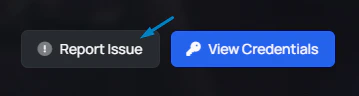
Where to submit the client report
Open your order page
Go to your order page and select the order you’re having issues with.
Pro tips for fast resolution
- Be clear and detailed — short reports like “help” or “not working” cause delays.
- Always upload evidence — even one screenshot can make a big difference.
- Check the Help Center first — many common issues are already covered!