

Before purchase
- On select product pages, you can message the seller directly with questions about that specific listing.
- Not all sellers have direct messaging enabled.
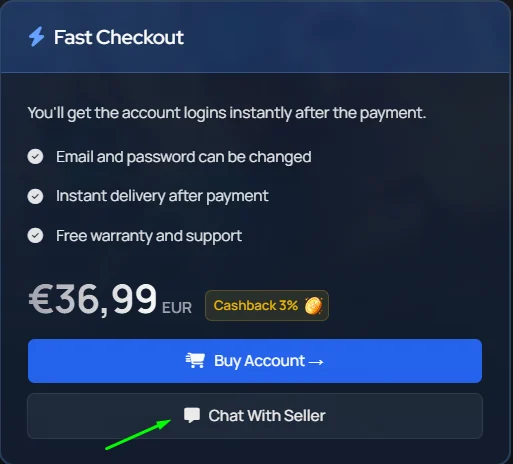
2
After Purcahse
- Every order includes a direct order chat you can use to discuss order details, delivery, or any issues.
- To find your order chat, go to your orders, click the order in question, and you’ll land on the page with your chat box.
Seller availability
Sellers can set their store to offline mode when they’re stepping away: for a break, holiday, or any reason they can’t fulfill orders normally. When a seller has offline mode enabled, you’ll see a clear notice on their profile, listings, checkout, and order pages.What does offline mode mean for the buyer?
Depending on how the seller has set it up, a few things may change:- Some listings may be hidden or unavailable for purchase until the seller returns.
- Instant delivery offers may still be available, while manual-delivery offers are paused.
-
For some orders, delivery may be reserved and the countdown paused until the seller is back online, so you won’t be penalized by the wait.