

Step by Step Guide:
Contact the Seller Directly
Most issues can be resolved through the order chat. Since the seller handles the product or service, they are usually best placed to help.To talk to the seller, go to My Orders and click the order in question: a chat box with the seller will be available on the order page.
Open a Dispute
If direct communication doesn’t solve the problem, you can open a dispute directly from your order page by clicking the Report Issue button (located below the order chat with the seller).Disputes bring our team into the conversation to help review the case and help work toward a resolution.For full details on how the dispute process works, what to include, and what to expect, see our guide on how disputes work.
Open a Support Ticket
If your issue is unrelated to a specific order, or you need help with something the dispute system doesn’t cover, you can open a support ticket: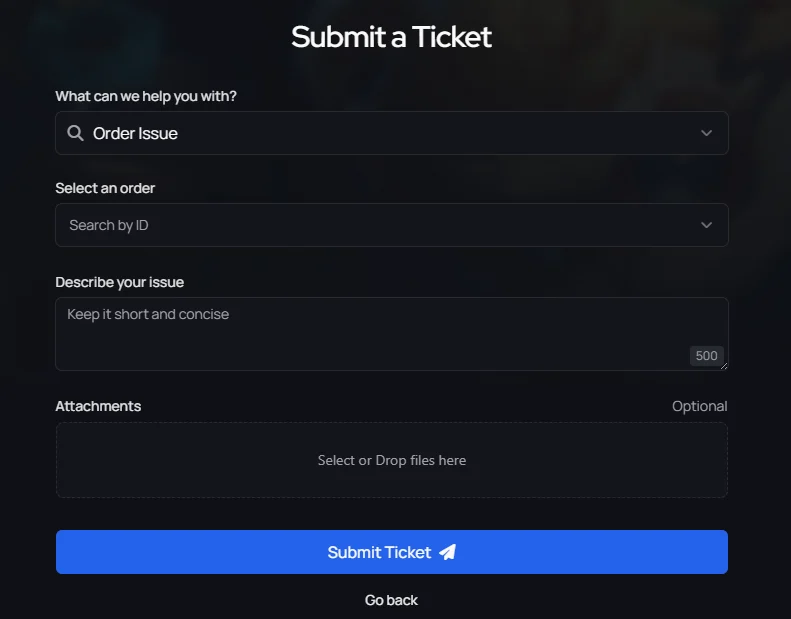
- Go to the Ticket Support section
- Select “What can we help you with?” and choose the relevant category
- If it’s order-related, select the order in question to link the ticket
- Describe the problem in detail and attach any helpful screenshots