

Step By Step Guide
Use the search bar
On the homepage, enter the game title in the search bar. This shows the available categories for that game, making it easier to choose the right product or service type.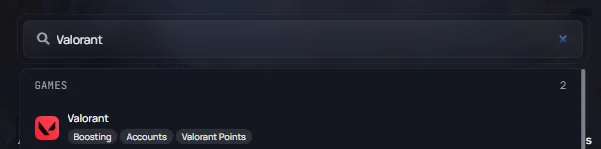
Example: Searching “Valorant” will bring up the available services related to that game, such as accounts, top-ups, and boosting.
Apply filters to narrow results
After selecting a category, such as Accounts or Currency, use the page search bar and filters to narrow the results.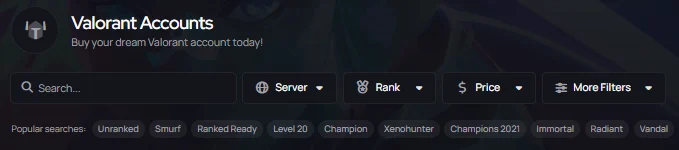
Example: Game-specific terms can also help narrow offers. For example, searching “Ranked Ready“, “Level 20“, a specific skin or rank can help find more relevant listings.
- Price Range
- Server
- Rank, Skin Count, Type of item (game specific)
- Delivery method/time (select your preferred delivery type)
Check Seller Information and Offer Details
Before placing the order, open your selected listing to review any relevant information:
- Screenshots, stats, and key features of the account/item.
- Delivery details – whether it’s instant or scheduled.
- Partnered seller reputation – top-rated partners often have great customer feedback and consistent quality.
Choose a Trustworthy Seller
Seller reputation can help when comparing similar offers. Ratings, completed orders, response times, and listing quality are useful signs to check before purchasing.
Read more: How to Choose a Trustworthy Partnered Seller
Read more: How to Choose a Trustworthy Partnered Seller
5
If the Right Offer Is Not Available
If you are unable to find your offer right away:
- Try different keywords
- Remove or adjust filters
- Check if the game or service is currently supported
- Check back later for new listings