

Step by Step Guide:
Read the seller's delivery instructions first
Most login issues come down to a step in the seller’s delivery instructions being missed. Before doing anything else, open the order chat and carefully read the delivery instructions the seller posted.They often include important details like:
- Required login method (e.g. Epic Games, Riot launcher, official website only)
- Region or VPN requirements
- Steps for first-time login or 2FA handling
- Specific apps or platforms to use
📷 Example of delivery instructions:
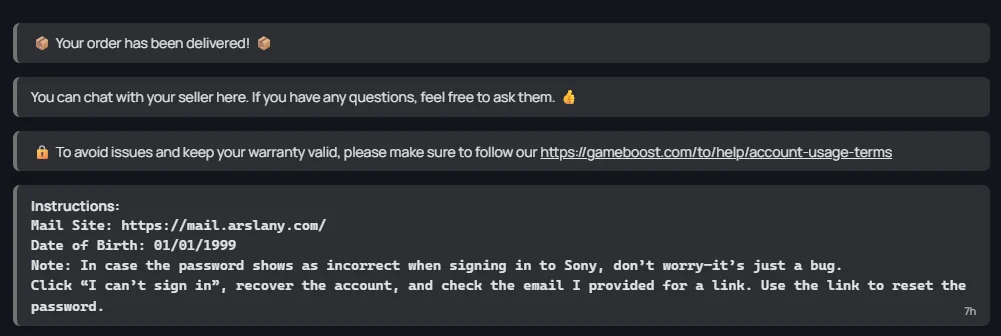
💡 Most “credentials don’t work” issues are resolved here. Skipping this step is the #1 reason logins fail.
Double-check the credentials themselves
If you’ve followed the delivery instructions and still can’t log in, make sure you:
- Copy and paste credentials carefully
- Avoid extra spaces before or after the username/password
- Check for case sensitivity or typos
Contact the seller
If everything looks correct but login still fails, message the seller directly via the order chat:
- Go to My Orders and open the relevant order
- Use the chat box to contact the seller (below Delivery Instructions mentioned above)
- Describe exactly what’s happening - include the error message or a screenshot
4
Open a Dispute
If you are unable to come to a conclusion with the seller, you can open a formal dispute.
To open a **dispute: **
To open a **dispute: **
- Go to My Orders and open the relevant order
- Click the Report Issue button (located below the order chat with the seller).
Need Help?
If the seller doesn’t respond or the issue isn’t resolved, open a support ticket:- Go to the Ticket Support section
- Select the relevant order to link it to the ticket
- Provide a clear description and attach screenshots of the error