

All notifications are now available directly on the website:🔔 Unified On‑Site Notifications
- Header dropdown (desktop)
- Slide‑over panel in the partner dashboard
-
Mobile drawer view
Discord notifications are now powered by webhooks:💬 Discord Notifications (Rebuilt)
- ~90% coverage of notification events
- Faster and more reliable delivery
- Structured messages for team channels
Web‑push notifications have been fully overhauled:🌐 Web‑Push Notifications
- 100% coverage of supported events
-
Improved consistency across browsers
Email notifications now use our modern email design:📧 Email Notifications
- Cleaner layout
- Better readability
-
Consistent formatting
How to set up Discord notifications
1
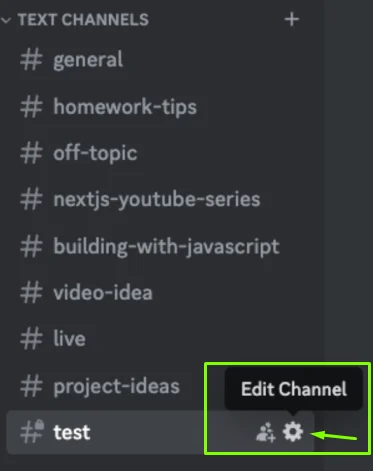
Select a Discord channel
- Open your Discord server
- Create or select a text channel
- Click Edit Channel (⚙️)
2
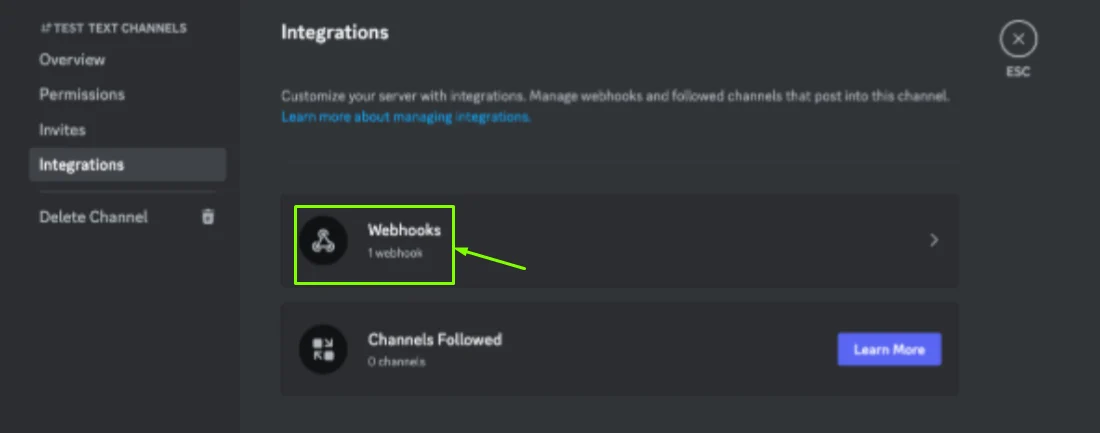
Open Integrations
- In the channel settings, select Integrations
- Click Webhooks
3
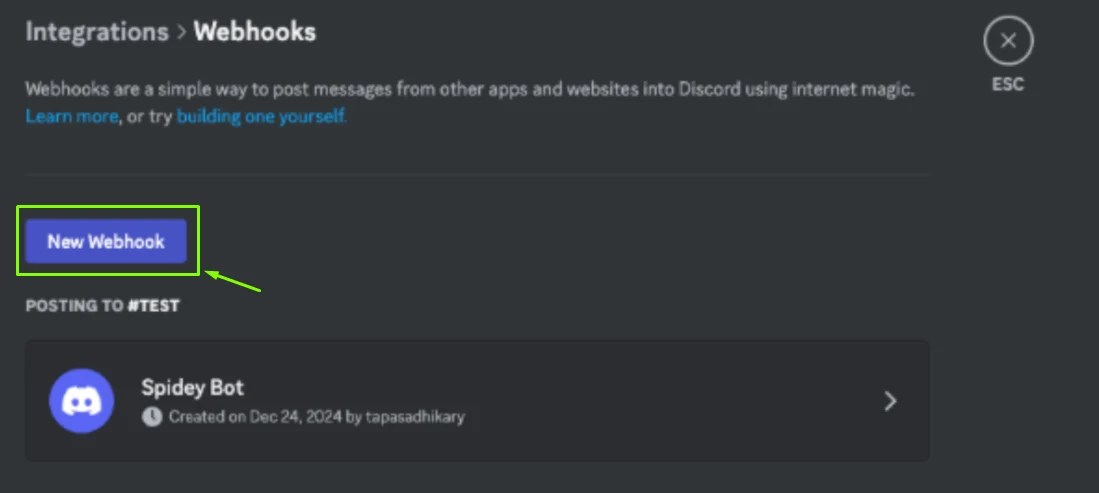
Create a webhook
- Click New Webhook
- Name it (e.g. GameBoost Notifications)
- Optionally add an avatar
4
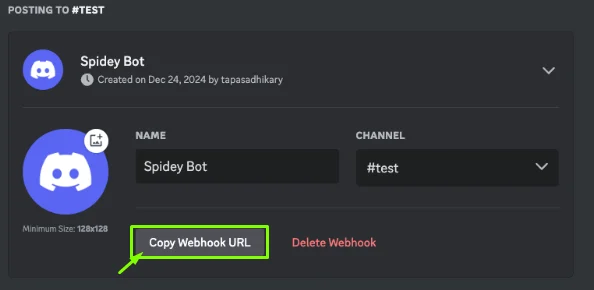
Copy the webhook URL
- Click Copy Webhook URL
- Keep the URL secure
5
Connect to GameBoost
- Go to gameboost.com/settings/notifications
- Open the Discord section
- Paste the webhook URL
- Save changes


Best practices
- Use a dedicated Discord channel
- Limit webhook access to trusted users
-
Adjust notification preferences to reduce noise